Pptx
Generate and edit PowerPoint (.pptx) decks with real slides, not markdown pretending to be a presentation.
Get the complete skill folder, including its scripts and reference files.
·
Turn meeting notes into decision slides
Build a five-slide launch review that preserves decisions, owners, deadlines, and unresolved questions. (1 sample file)
When to use this skill
Use the PowerPoint skill when the output must be a .pptx others will present: a review deck, a sales narrative, a lecture. One slide, one idea.
When not to use it
Do not use it for a written memo (DOCX) or a printable handout (PDF). Skip it when you only need an outline in markdown.
How to install
Where will you use it?
Install the publisher’s plugin
This installs a bundle that can include other skills. Choose this method or the manual alternative below; you only need one installation.
Run these commands in Claude Code:
Claude Code CLI/plugin marketplace add anthropics/skills /plugin install document-skills@anthropic-agent-skills
- Ask Claude Code to use Pptx on a small task and confirm that it loads. Check the setup requirements in the publisher’s guide if it cannot run.
Alternative: install the folder manually
Use these steps if you choose the manual folder method. If you installed the plugin above, skip this alternative.
- Claude Code personal install: place the skill and its bundled files at ~/.claude/skills/pptx/SKILL.md. For a shared project, commit the folder at .claude/skills/pptx/ instead.
- Current Claude Code detects SKILL.md changes in watched directories during the session. If you just created a top-level skills directory, run /reload-skills. Check that the skill is listed before testing its trigger.
- For Claude chat or Cowork in the Desktop app, manage uploaded skills in Customize > Skills; copying files into a local Claude Code folder is not a Desktop install. Other agents may use different install locations.
What supports this recommendation?
75/100 provisional content score. This measures documentation, practical detail and source signals. It is not a measured task success rate or a security certification.
- Documentation
- 77/100
- Practical detail
- 68/100
- Source evidence
- 70/100
- Source signals
- 94/100
Model compatibility evidence
- claudeuntested
No model-specific signal or recorded compatibility test was found.
- chatgptuntested
No model-specific signal or recorded compatibility test was found.
- geminiuntested
No model-specific signal or recorded compatibility test was found.
- copilotuntested
No model-specific signal or recorded compatibility test was found.
- llamauntested
No model-specific signal or recorded compatibility test was found.
- perplexityuntested
No model-specific signal or recorded compatibility test was found.
- mistraluntested
No model-specific signal or recorded compatibility test was found.
- grokuntested
No model-specific signal or recorded compatibility test was found.
Inferred compatibility is based on content signals. Check the app, its available tools and setup requirements before running a skill.
Try one small task
Best first exercise: turn a short meeting record into five editable decision slides.
See actual outputs and execution limits →What you need
- A file-capable agent with Node.js; upstream uses PptxGenJS for new decks.
- A PowerPoint-compatible reader and a way to render slides for visual inspection.
- Download meeting-notes.txt from the meeting-to-slides workflow.
Get the sample input and full checklist
Create a short decision deck without inventing approvals or owners.
Use the PPTX skill and meeting-notes.txt to create launch-review.pptx with exactly five slides: Context, Decisions, Open risks, Action owners, Next checkpoint. Use the supplied facts only. Distinguish proposed scope from approved decisions. Preserve the two named owners and their deadlines. Mark the support-training owner as unassigned and the launch date as a target. Add source references in speaker notes, then render and inspect every slide for clipping and overlap.
Expected result
A specification to check against, not output from an AI run.
Five editable slides that preserve the meeting decisions, unresolved accessibility risk, two owned actions, and one unassigned action.
- The file contains exactly five slides and opens in a presentation reader.
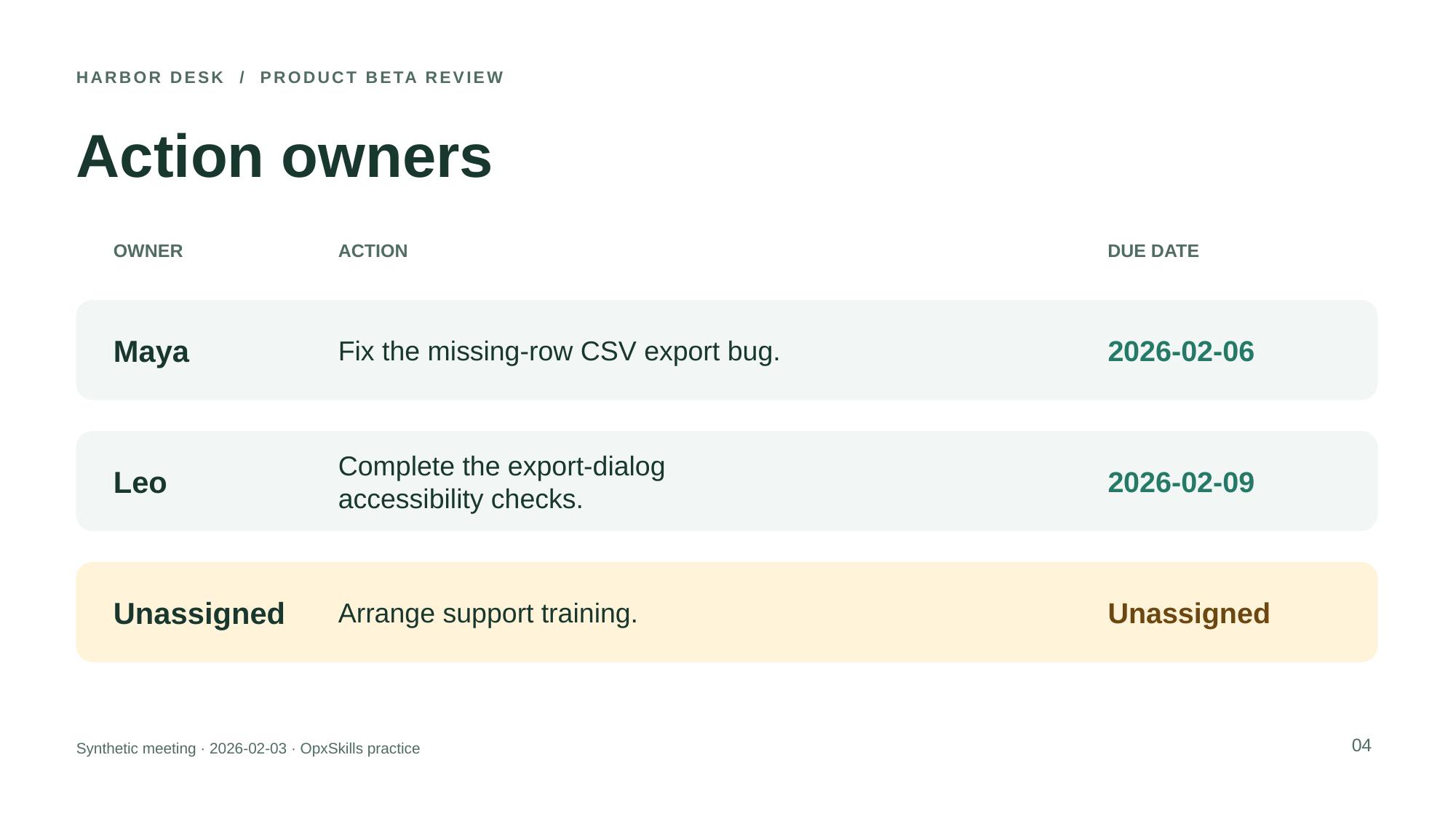
- Maya owns the export fix due 2026-02-06; Leo owns accessibility checks due 2026-02-09.
- No invented charts, approval claims, or owner for support training; all slides pass a visual review.
Where this exercise stops
- A text extraction check cannot catch visual overlap; inspect rendered slides.
- The starter recipe does not test editing a corporate template or preserving an existing deck.
Recorded example run
These files came from actual execution in a Codex session. They were produced and checked within the same session; this is scoped evidence, not independent review or a measured success rate.
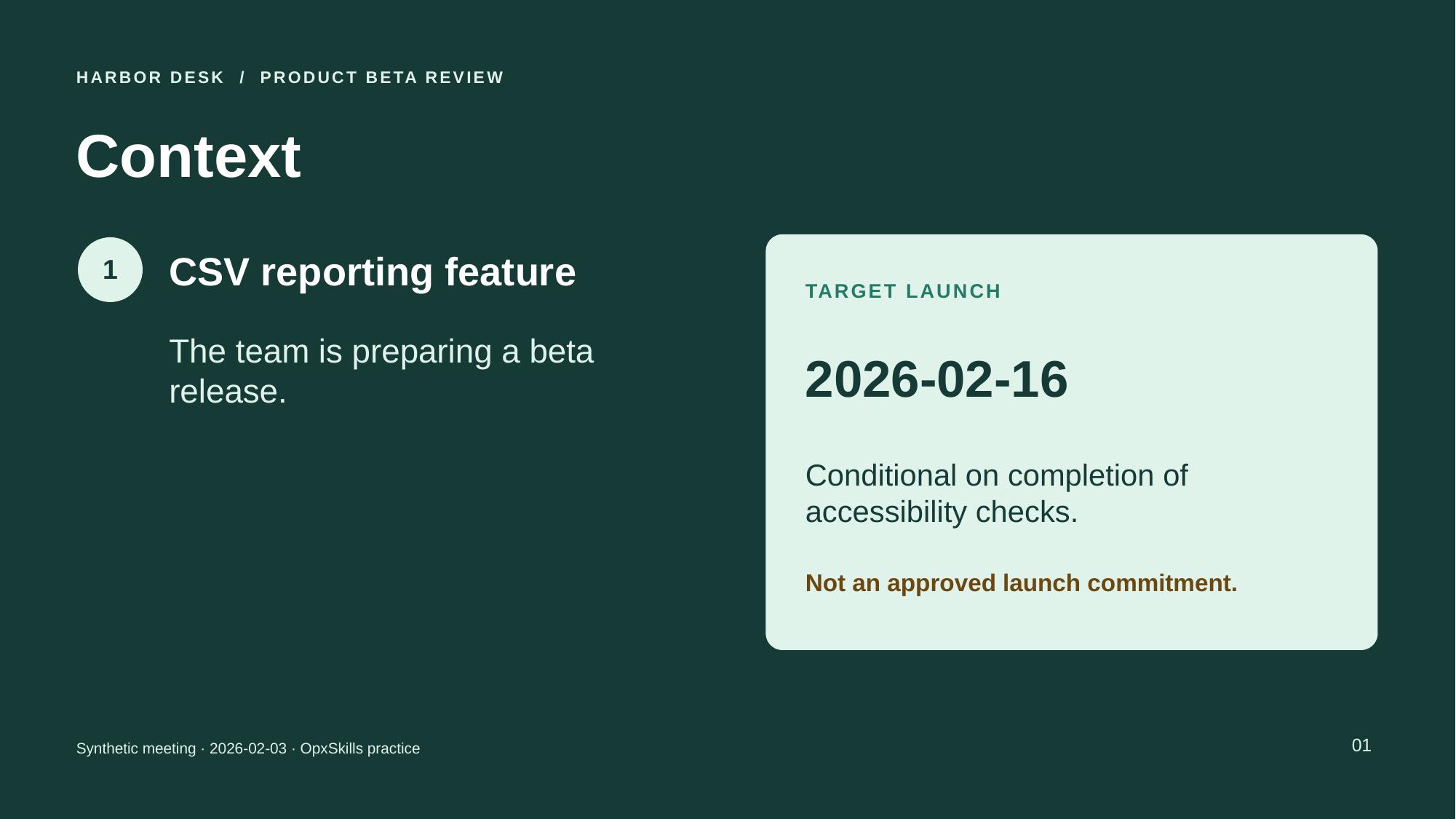
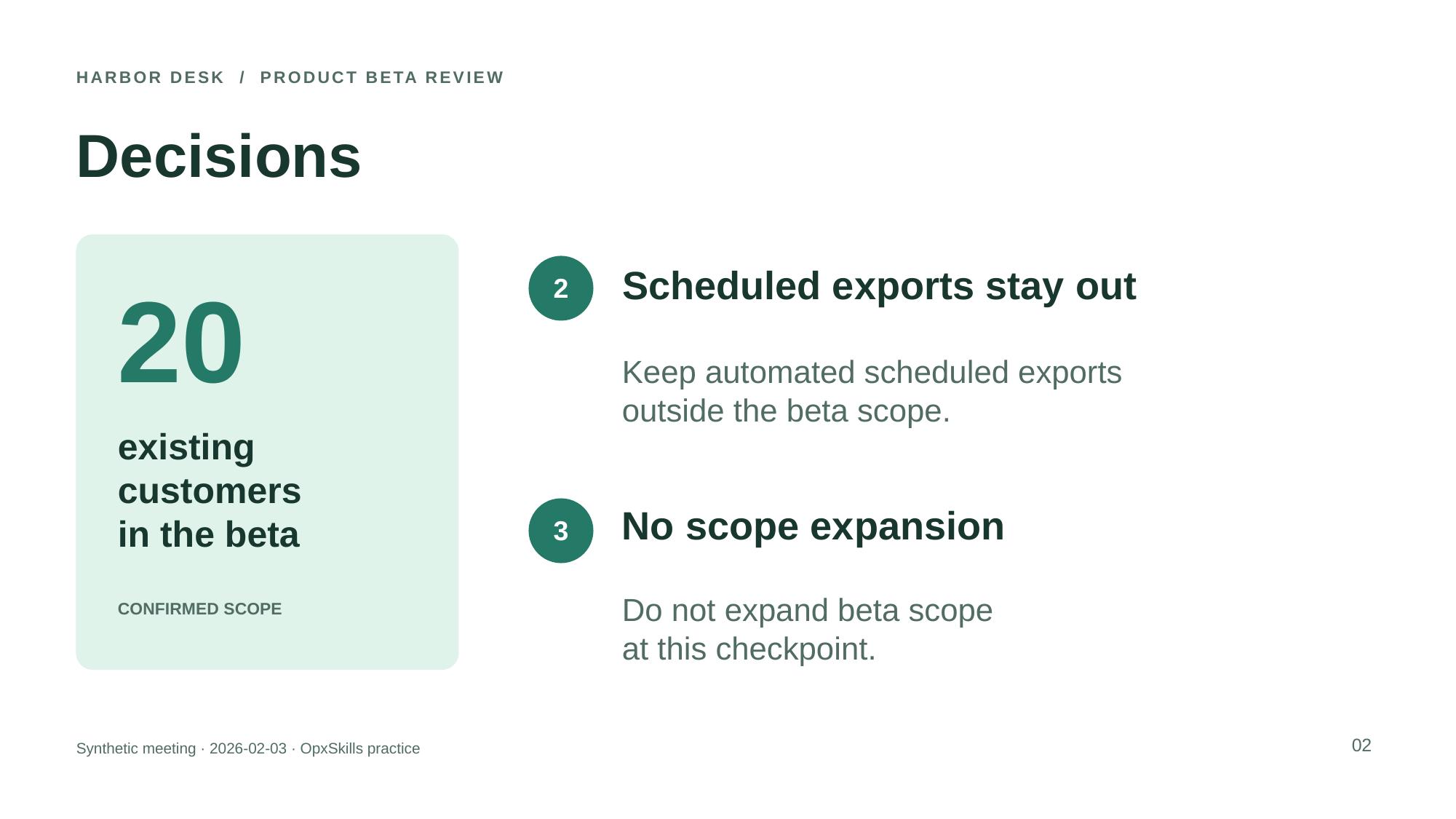
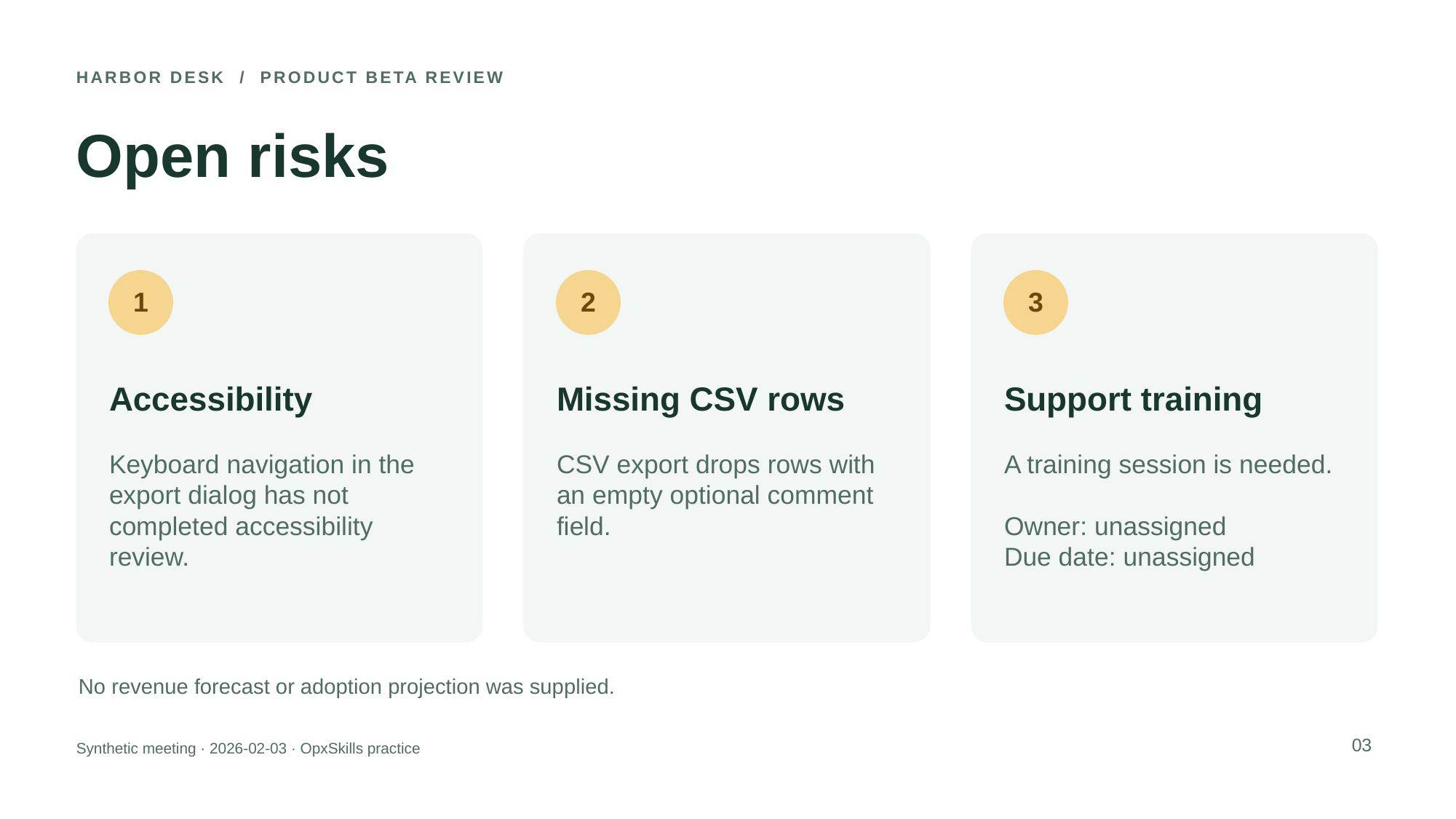
Meeting notes turned into five editable slides
Executed · Automated Codex exercise
Codex session; PptxGenJS 4.0.1, LibreOffice 24.2.7.2 420(Build:2); Linux aarch64.
The agent read the pinned PPTX instructions, generated native editable slides, ran the upstream validator, rendered the deck, and inspected all five slide images.
Download the actual outputs
- launch-review.pptx
- launch-review.pdf
- pptx-slide-1.jpg
- pptx-slide-2.jpg
- pptx-slide-3.jpg
- pptx-slide-4.jpg
- pptx-slide-5.jpg
- slide-checks.txt
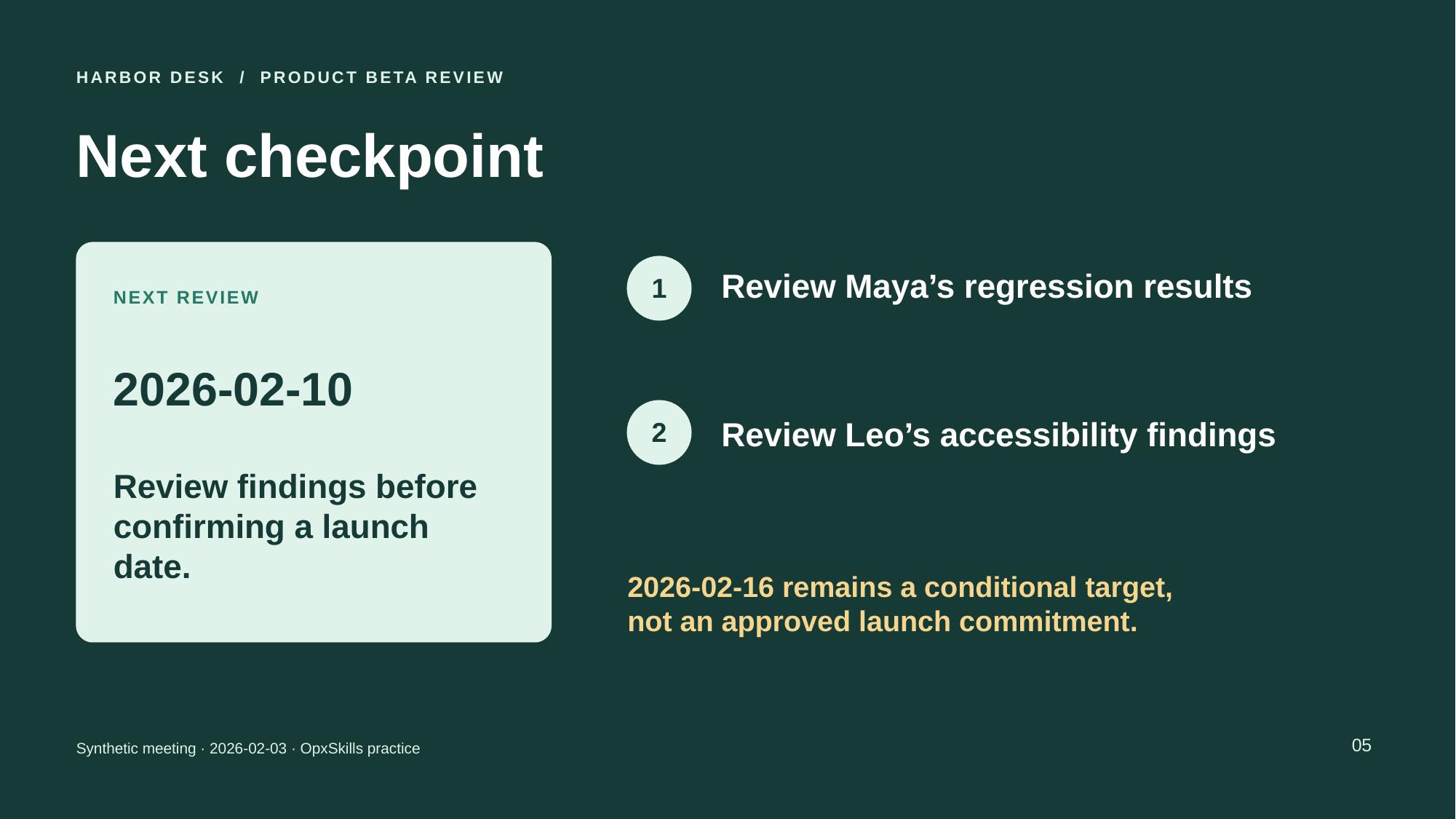
Recorded checks and observations
- Passed: The upstream Office file validator passed.
- Passed: Exactly five requested titles, source notes, owners and deadlines are preserved. Unassigned fields and the conditional launch date stay explicit.
- Passed: All 66 editable text shapes appear in the five-page rendered PDF.
- Passed: The creating agent inspected all five slide images and observed no clipping or overlap.
Scope, limitations and pinned sources
- The agent read the pinned upstream instructions and used their prescribed tools. Native Claude skill loading and general cross-agent compatibility were not tested.
- One synthetic English fixture, one generation; no repeated-run success rate or no-skill baseline.
- No human review or independent certification.
- No Microsoft PowerPoint desktop test or cross-application rendering guarantee.
- No model version inferred from the session.
- No corporate template, audio transcript, charts, or complex deck editing evaluated.
- Arial resolved locally to Liberation Sans. LibreOffice emitted a Java-launch warning, but the conversion completed.
Source and evidence
The upstream instructions informed this guide. The exercise and acceptance checks are an OpxSkills test recipe. Where a run is recorded, its actual outputs, environment and limits appear separately above. A recorded example does not establish general model compatibility or a success rate.
Source reviewed · Upstream revision 8a1541c4a3ff
What this skill does
Slide skills fail when they write essays. This skill is for short headlines, supporting bullets, and a file PowerPoint can open.
Intended uses
- Turn a one-pager into a 8–12 slide review deck
- Rebuild a messy export into a consistent template
- Draft speaker notes separately from on-slide text
Implementation notes
- Give a slide count budget.
- Provide brand constraints (dark background, no stock photos) up front.
Try it, then tell us how it went
A copied prompt does not tell us whether the task worked. Report your result after checking the output. We collect your tool and outcome, never your files or prompt.